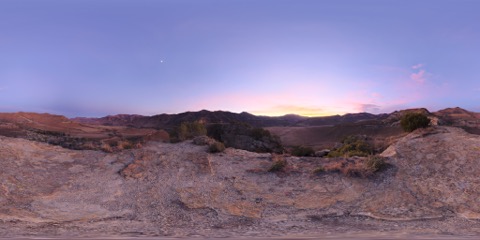
Edit panoramic footage
Import 360° or 180° equirectangular footage, set the projection and stereo layout, and arrange your timeline. Add camera keyframes or export a conventional framed view.
YOUR STORY HAS MORE DIMENSIONS.
Work with 360° and 180° footage, build scenes with 3D objects, or trim an original Apple Spatial recording. One browser workspace for different ways of seeing.
Start an immersive projectBrowser based. Optional private cloud backups.
THE POSSIBILITIES
Choose the workflow that fits your source. Panoramic scenes and native Apple Spatial recordings have different editing and export options.
Import 360° or 180° equirectangular footage, set the projection and stereo layout, and arrange your timeline. Add camera keyframes or export a conventional framed view.
Bring GLB or glTF models into your scene, add timed hotspots and position a soundtrack in space. Start with the included panoramas, 3D models and audio.
Render video or export an interactive experience as a ZIP with a standalone player. Host that experience on the web to keep camera exploration, hotspots and positional sound.
APPLE SPATIAL VIDEO SUPPORT
Import an original iPhone Spatial MOV. Trim, split and reorder sections from one recording, then export an Apple Spatial MOV that preserves both encoded eye layers, original audio and spatial metadata without re-encoding.
Use one original recording per project, up to 2 GiB for input and output. Native spatial export supports cuts, without titles, effects, added music or mixed sources. Browser preview shows one eye and requires HEVC support.
Spatial cuts may retain recoverable frames around edit points; this export is not suitable for redacting private footage. Playback behavior varies by player. Keep your original recording and check the exported file in your intended player.
FROM IDEA TO EXPORT
Create an Immersive project. Choose a 360°, 180°, 3D or Apple Spatial workflow, then import your footage or explore the starter library.
Arrange and trim clips. For panoramic and 3D scenes, compose camera moves, add objects and build interactions. For Apple Spatial, assemble cuts from your original recording.
Explore your scene and choose the output that fits: interactive ZIP, supported panoramic MP4, a flat reframe or a native Apple Spatial MOV.
MAKE SOMETHING YOURS
Sign in with Google to open the editor and create your project.
Projects save in this browser for your account. Keep your original files; projects do not sync across devices.
GOOD TO KNOW
360° video wraps a panoramic image around the viewer. Apple Spatial video stores separate eye views in an MV-HEVC recording to preserve depth. CutXR supports both workflows, but they use different editing tools and exports.
For supported original iPhone Spatial MOV recordings, CutXR can trim, split and reorder sections from one recording per project. Apple Spatial MOV export copies both encoded eye layers, original audio and spatial metadata without re-encoding. Keep your original and test the export in your intended spatial player.
Native Apple Spatial MOV export preserves cuts from the source. It does not support titles, effects, speed or volume changes, added music, models, camera moves or mixed recordings. Other rendered formats provide a flat view of native spatial footage.
Immersive scene rendering requires WebGL 2. Original Apple Spatial footage is previewed as one eye when your browser and operating system support HEVC. The editor does not provide native MV-HEVC stereo preview; playback and export capabilities vary by browser and device.
Export an interactive ZIP, unzip it and serve the folder from a web server. Use HTTPS for access from another device. The package includes a player and source assets, with a 350 MB input limit. It is a playback package, not a project backup or re-import format.
edits save automatically in this browser for your account. Use Projects → Your cloud to back up the current edit and imported media, then reopen a copy on another device with the same Google account. Cloud backups are private and update when you choose to back up again. Clearing site data removes local projects, so keep your originals and current backups.